A calm home for everything you know.
Nexus brings your notes, documents, and plans into one quiet, organized workspace. Nested as deep as you like, shared with your team, and never lost again.
Free for your first workspace · No credit card required
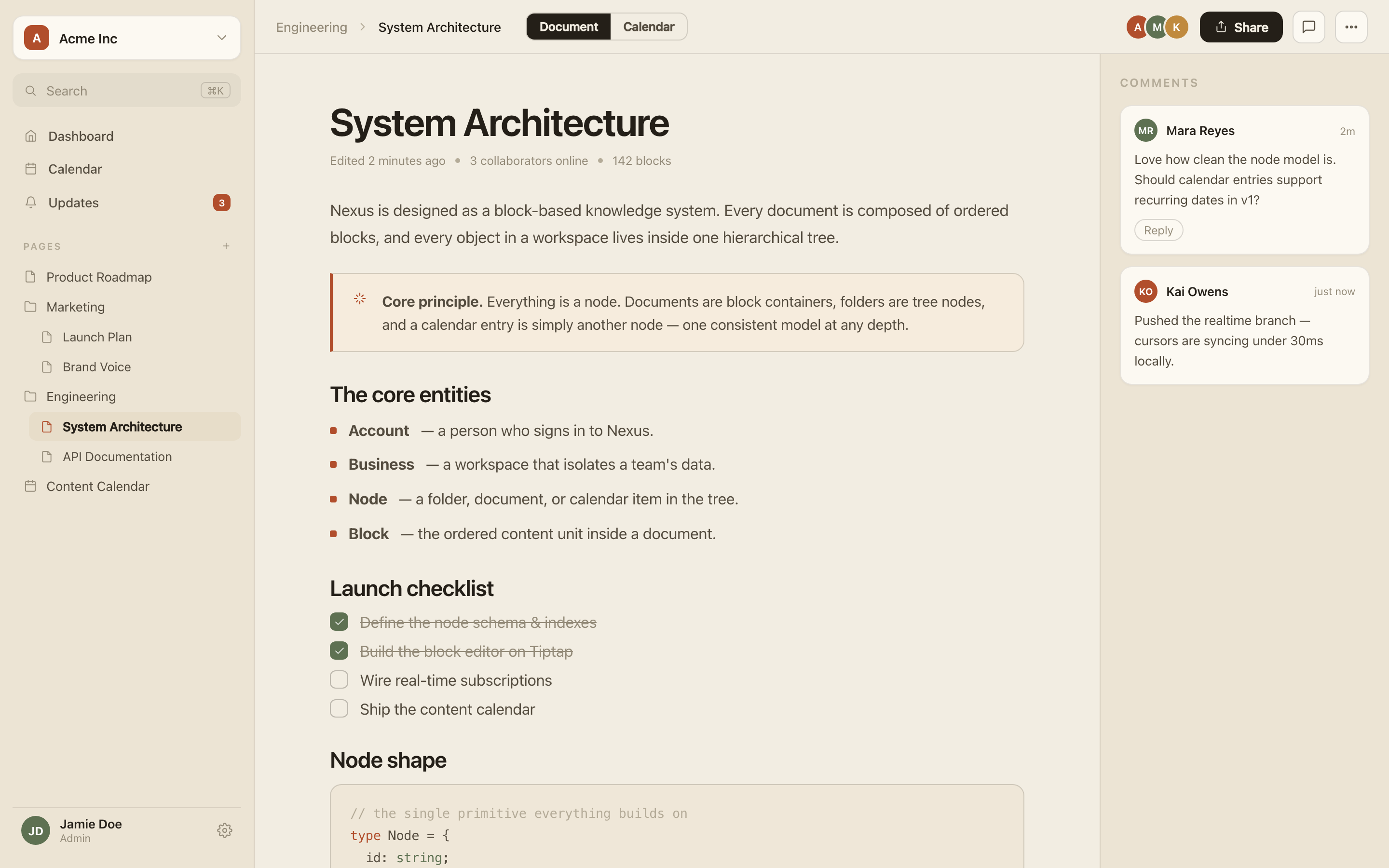
Nexus brings your notes, documents, and plans into one quiet, organized workspace. Nested as deep as you like, shared with your team, and never lost again.
Free for your first workspace · No credit card required
It’s scattered across a dozen Google Docs, a Notion that’s grown into a maze, Slack threads no one can search, and someone’s laptop. New hires take weeks to find their footing. The same questions get answered twice. Good thinking disappears the moment it’s written down.
Nexus fixes the part every other tool ignores — where your knowledge actually lives.
Everything you need to think clearly — and nothing that gets in the way.
A focused editor built from blocks — text, media, tasks, code, tables. Reorder by dragging; add anything with a keystroke.
Folders, documents and calendars are all nodes in one tree. Organize as deeply as your thinking goes.
Live cursors and instant updates. Collaborate in real time, calmly, without a single collision.
Import from Notion with a single URL. Your pages arrive as clean, native Nexus blocks.
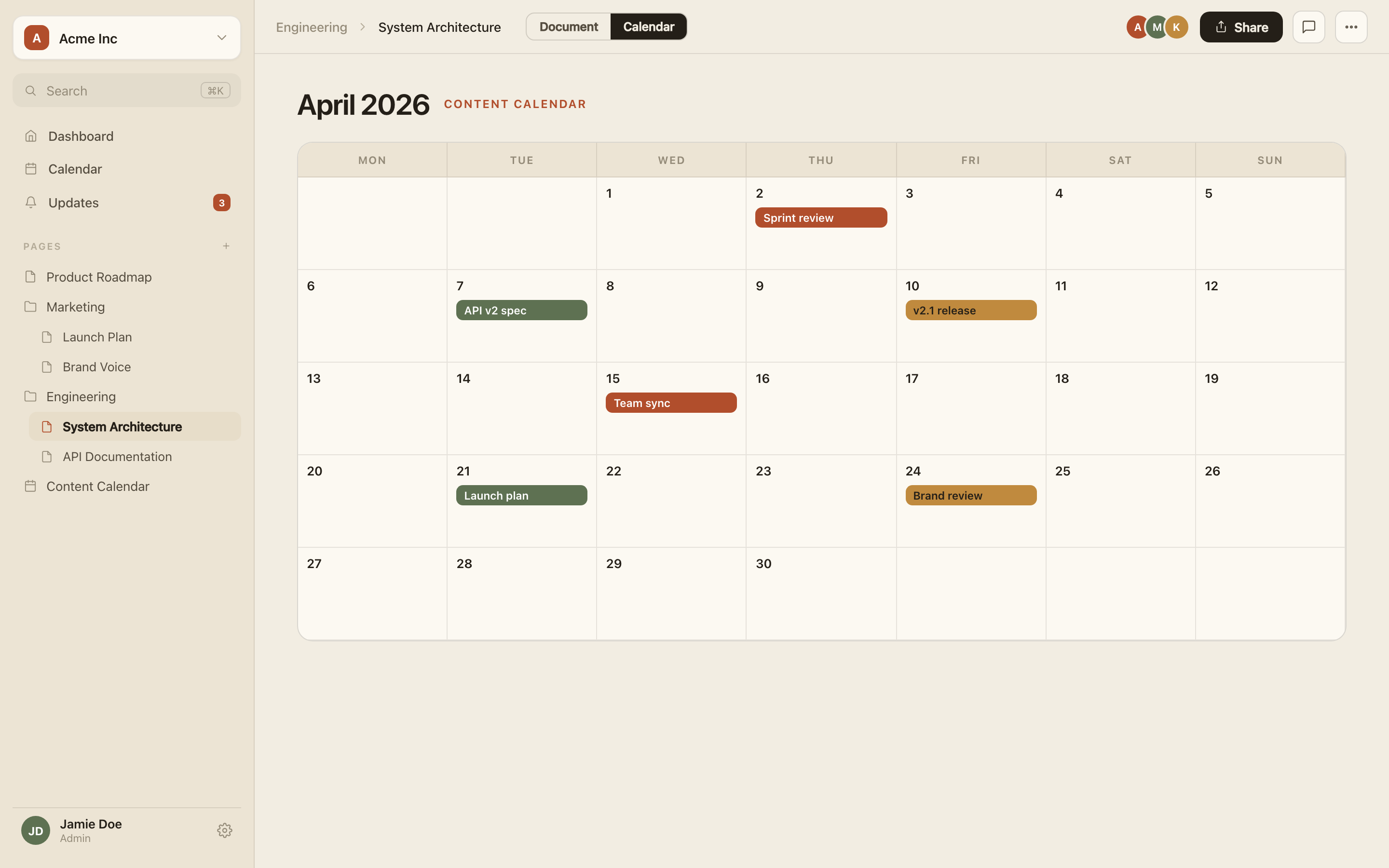
Attach any page to a date. Content, releases, and prep — all on one gentle timeline.
Admin, editor, viewer. Clear roles per workspace, so everyone always knows where they stand.
Attach any page to a date and see the whole month at a glance — content, releases, and prep on one timeline.
No more guessing whether something is a “page” or a “file.” In Nexus it's all one tree — so you can nest, move, and find anything without friction.
A workspace should feel less like software and more like a well-kept library — calm, ordered, and impossible to lose your place in.
Notion and Google Docs are excellent tools. Nexus is building what they were never designed to be — a workspace that does the organizing for you, so your team’s knowledge never scatters again. Here’s where we’re headed.
Capture a thought and Nexus files it, links it to related work, and grows the tree for you — no manual sorting, ever.
Pose a question and get an answer drawn from everything your team has written — with sources you can click straight through to.
Documents flag themselves when they go stale and pull fresh details from the source. No more wikis no one trusts.
Turn Slack messages, meeting notes, and email into clean, structured nodes — automatically, where they belong.
Spin one up in seconds. Invite your team and set roles.
Write docs, nest folders, import from Notion. Every idea becomes a node you can find again.
Attach pages to a calendar and collaborate in real time as your knowledge compounds.
“It's the first tool that feels calm. Everything has a home, nothing gets lost, and the whole team just knows where to look.”
Yes. If Notion has grown into a maze, Nexus keeps the block editor you like but adds real structure and a calmer, faster experience — so your workspace stays organized as it grows.
Yes. Paste a URL and Nexus pulls the page in as clean, native blocks. Moving your knowledge over takes minutes, not a lost weekend.
That’s exactly what it’s built for. One infinitely-nestable tree keeps every document, folder, and plan in a single place your whole team can actually find.
Yes. A built-in content calendar lets you attach any page to a date for editorial planning, release notes, or sprints — no database hacks required.
Yes — live cursors and instant updates, with clear admin, editor, and viewer roles scoped to each workspace.
Yes. Your first workspace is free forever, and you don’t need a credit card to start.